Understanding AI Agents — and Why They Matter
Everyone's talking about AI agents. But most explanations are either too vague or too technical. Here's a clear, practical breakdown of what they actually are, how they work, and what they can do for your business.
So, what is an AI agent?
A standard AI tool — like ChatGPT or a basic chatbot — responds to what you type. You give it an input, it gives you an output. Done. It doesn't remember what happened before, doesn't take action in the world, and doesn't follow through without you.
An AI agent is different. It can pursue a goal across multiple steps, make decisions along the way, use tools and external systems, and keep going until the task is complete — with minimal hand-holding.
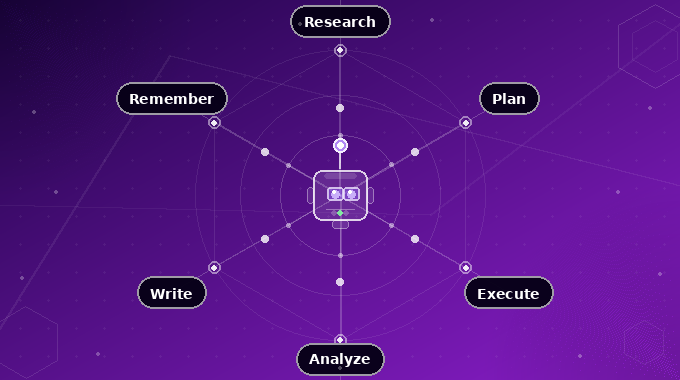
An AI agent combines a language model's reasoning ability with the ability to take real actions — searching the web, writing to a database, sending emails, making API calls, running code. The language model is the brain. The tools are the hands.
Key principles that define AI agents
What separates an AI agent from a standard AI tool — or a basic automation — comes down to a specific set of properties.
Autonomy
An AI agent acts without needing constant human direction. Traditional software follows hard-coded rules; an agent reads context, identifies what needs to happen next, and executes — on its own.
Goal-oriented behaviour
Agents are driven by objectives, not instructions. Every action they take is evaluated against a goal — and they keep adjusting until they achieve it or determine they can't.
Perception
Agents collect information from their environment — text inputs, API responses, database queries, previous action results. They build a live picture of what's happening.
Rationality
Agents combine incoming data with context and reasoning to make decisions — not just pattern-match to the most likely next token. They weigh options, predict outcomes, and pick the best action.
Proactivity
Agents don't just react. They anticipate. A well-built agent can spot a likely failure before it happens, or flag an opportunity before you've thought to ask.
Memory
Agents retain context across steps — what they've done, what they found, what went wrong. This is what makes multi-step workflows possible, and agents genuinely useful.
Adaptability
When circumstances change — a tool fails, the data looks different than expected, the task evolves — an agent adjusts. Static programs break. Agents reroute.
Collaboration
Agents can work alongside other agents, systems, or humans — passing outputs, coordinating on sub-tasks, and integrating into workflows that span multiple tools and teams.
These principles aren't a checklist — they're what separates a system that can genuinely own a workflow from one that just assists with a single step.
How is this different from automation?
Tools like Zapier, Make, or traditional RPA bots also automate workflows. But there's a meaningful gap between those and AI agents.
| Capability | Traditional Automation | AI Agent |
|---|---|---|
| Handles fixed, predictable tasks | Yes | Yes |
| Adapts to unexpected inputs | No | Yes |
| Makes decisions mid-task | No | Yes |
| Handles unstructured data (emails, PDFs, etc.) | Limited | Yes |
| Explains what it did and why | No | Yes |
| Can be given a goal, not just a script | No | Yes |
Traditional automation is a conveyor belt. AI agents are a colleague who can improvise.
How does an AI agent actually work?
Under the hood, most AI agents run on a loop. They receive a goal, figure out what to do first, take an action, observe what happened, and then decide what to do next — repeating until the task is done or they hit a dead end.
This is sometimes called the Reason → Act → Observe loop, or the "ReAct" pattern.
Goal received. Decomposing into sub-tasks: (1) identify top real estate agencies in Dubai, (2) retrieve company details, (3) draft a personalised cold email per agency.
web_search("top real estate agencies Dubai 2024") — querying for a ranked list with agency profiles, market specialisations, and size.
Returned 10 agencies. Extracted: name, primary focus (luxury / off-plan / commercial), and website URL for each.
Have agency names and focus areas. Still need decision-maker names. Will attempt enrichment via each company's website before drafting.
web_fetch("betterhomes.com/about") — scraping leadership pages for key contact names. Repeating across remaining agencies in parallel.
Retrieved decision-maker names for 7 of 10 agencies. 3 returned no public contact — flagging those for generic salutation.
Hi Richard,
Came across Betterhomes while researching the top residential agencies in Dubai — impressive volume of off-plan listings you're managing across JVC and Dubai Hills.
We build AI systems that handle the operational layer of sales teams — lead qualification, follow-up sequencing, CRM updates — so your brokers can spend more time closing.
Worth a 20-minute call to see if it's relevant?
— Neil, Codefully
This loop is what separates an agent from a one-shot prompt. It's not generating a single response — it's running a process, with real feedback at every step.
Single agent vs. multi-agent systems
Once you understand the loop, the next question is: does one agent run the whole thing, or do multiple agents work together?
Single Agent
One agent, one loop, one goal. Easier to build, easier to debug, and perfectly suited for focused, well-defined workflows.
Multi-Agent System
Multiple specialised agents work together — one orchestrates, others handle sub-tasks in parallel. Best for complex, multi-domain workflows.
For most businesses starting out, a well-built single agent is the right move. Multi-agent architectures become the conversation once you've got a clearer picture of where the bottlenecks actually are.
Real-world examples that aren't hype
Where AI agents are being used right now — not in theory, but in actual businesses:
- 1A lead qualification agent that reads inbound enquiries, checks if the lead matches your ICP, enriches their data from LinkedIn, and scores them — automatically, before your sales team sees a single name.
- 2A customer support agent that handles tier-1 queries end to end: looks up order history, processes refunds, escalates edge cases to a human, and logs everything to your CRM.
- 3A content operations agent that takes a long-form video, transcribes it, extracts key points, drafts LinkedIn posts, a newsletter section, and a short-form script — then queues everything for review.
- 4A reporting agent that pulls data from multiple sources every Monday, generates an executive summary, flags anomalies, and sends it to your inbox — with no human in the loop.
- 5An outbound sales agent that finds prospects, personalises cold emails based on their recent activity, and sends follow-up sequences — at a scale no human team could manage.
The benefits of using AI agents
When built well and deployed in the right places, AI agents don't just save time — they change what's possible for a small team.
Productivity at scale
Agents handle high-volume, repetitive work without fatigue, error drift, or the need for supervision. Tasks that used to take a team hours can run overnight, unattended.
Reduced operational costs
Automating repetitive, manual processes directly cuts the labour hours spent on them. A well-scoped agent often pays for itself within the first quarter of deployment.
Better, faster decisions
Agents can pull, analyse, and surface data in real time — giving you an accurate picture when you need it, rather than a report that's three days old.
Consistent customer experience
Agents don't have bad days. They respond the same way at 2am on a Friday as they do Monday morning. For customer-facing workflows, that consistency is a real edge.
Teams focus on higher-value work
When agents absorb the repetitive layer of operations, your people focus on work that requires human judgement — strategy, relationships, creative problem-solving.
Scalable without headcount
Agents scale horizontally with zero friction. Running the same process for 10 leads or 10,000 costs roughly the same — and doesn't require new hires.
The challenges you need to plan for
AI agents are powerful, but not plug-and-play. The businesses that get the most from them go in clear-eyed about where things can go wrong.
Hallucination and unreliable outputs
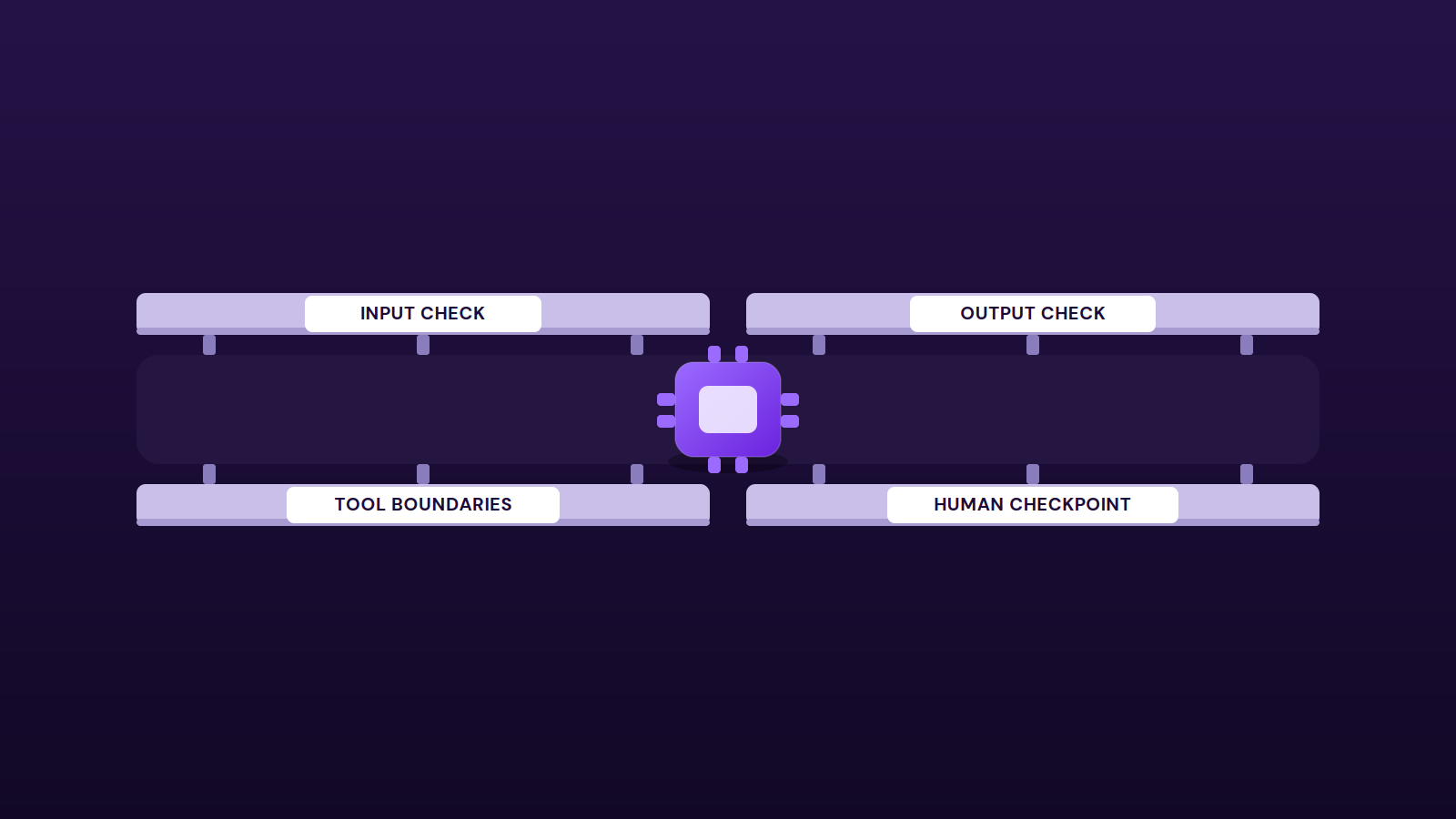
Language models can generate confident-sounding responses that are factually wrong. In an agent that's writing to your CRM or sending emails, that's a real problem. Reliable agents need guardrails, output validation, and human review checkpoints.
Tool and integration failures
Agents depend on external tools — APIs, databases, third-party services. When those fail or return unexpected data, a poorly designed agent can loop, crash, or take the wrong action. Robust error handling is core to build quality.
Security and data exposure
Agents often need access to sensitive systems — email, CRM, databases, customer data. Every production agent should operate on the principle of least privilege.
Context window limits
Every agent has a finite amount of information it can hold at once. On longer tasks, earlier context gets dropped — designing around this is a non-trivial engineering challenge.
Observability and debugging
Tracing the exact decision an agent made — across multiple tool calls and reasoning steps — can be genuinely difficult. Good agent systems are built with logging and observability from day one.
Unclear goal definition
Agents are only as good as the goal you give them. The clearest predictor of a failed agent project isn't the technology; it's an imprecise brief.
What holds most businesses back
Most companies know AI agents exist. The problem isn't awareness — it's implementation. Building a reliable agent requires more than plugging in an API. You need to define the right goal, give the agent the right tools, handle failure states, and connect it properly to your existing systems.
Done wrong, you get an agent that hallucinates, gets stuck in loops, or takes actions it shouldn't. Done right, you get a system that works quietly in the background and compounds value over time.
The difference is almost entirely in the build quality.
Where to start
The best entry point isn't the most ambitious use case — it's the most painful repetitive one. Find the workflow in your business that's eating the most hours, involves the most back-and-forth, and has the clearest definition of "done." That's your first agent.
From there, you layer. Each agent you deploy teaches you what's possible, what the constraints are, and where the next opportunity is.
"The businesses winning with AI right now aren't the ones using the fanciest models. They're the ones who moved first on process."
AI agents aren't a future technology. They're a present one — and the gap between businesses that have them and those that don't is already opening up.
Want this in your business?
If knowing where autonomous AI agents can actually replace manual work in your business is something you're facing, it's exactly what we build in our Single task work.
Frequently asked questions
What is an AI agent?
An AI agent is a system that uses a language model to plan and take actions toward a goal, using tools to interact with the outside world. Unlike a chatbot, which answers questions, an agent can read a request, decide what needs to happen, use tools to do it, and check its own work.
How does an AI agent actually work?
An AI agent has four core parts: a language model that does the reasoning, a set of tools it can call (APIs, databases, actions in other apps), memory that lets it retain context across steps, and a control loop that decides what to do next until the goal is met.
What is the difference between an AI agent and a chatbot?
A chatbot produces text responses inside a conversation. An AI agent takes actions — sending emails, updating records, calling APIs, coordinating with other systems — to complete a goal. Agents can use chat as an interface, but their job is to do work, not just to talk.
Where do AI agents fit in a business?
AI agents work best on tasks that involve multiple steps, several tools, and some judgement — customer support triage, lead qualification, research and drafting, internal operations. They are less useful for simple single-shot tasks that a workflow automation already handles well.
How does Codefully do this?
We deliver this as Single task. A focused AI automation that removes one repetitive job — built, shipped and running in 2–4 weeks.